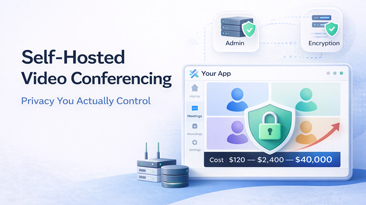
Self-Hosted Video Conferencing: Privacy You Actually Control
Where Does Your Video Data Actually Go?
When you join a Zoom call, here's what happens behind the scenes: your video and audio streams travel to Zoom's media servers. If you're recording, that recording is processed and stored on Zoom's cloud infrastructure. Meeting metadata — who joined, when, from where, how long — is logged in Zoom's systems. Chat messages are stored on Zoom's servers. AI transcriptions are processed by Zoom's AI models on Zoom's infrastructure.
All of this is governed by Zoom's privacy policy, which they can update at any time. In 2023, Zoom updated their terms of service to allow the use of customer data for training AI models. After public backlash, they clarified the language — but the episode revealed something important: when your data is on someone else's servers, you're subject to someone else's decisions about that data.
This isn't a Zoom-specific problem. Microsoft Teams stores data in Microsoft's cloud. Google Meet stores data in Google's cloud. Every cloud-based video platform operates the same way.
For many organizations, this is fine. For some, it's not even close to acceptable.
What Self-Hosting Actually Means
Self-hosted video conferencing means the entire video platform — media servers, signaling servers, recording infrastructure, databases, and web interface — runs on servers you control. "Servers you control" could mean:
- Physical servers in your office or data center — maximum control, maximum responsibility
- Virtual private servers on a cloud provider — you choose the provider, region, and configuration
- Private cloud with dedicated infrastructure — e.g., AWS GovCloud, Azure Government, or a HIPAA-compliant cloud environment
The key distinction: your video streams never touch a third party's servers. Recordings are stored where you put them. Metadata stays in your database. You control the encryption keys. You control the access logs. You control the retention policies.
This is fundamentally different from a SaaS platform where you're trusting the vendor with your data.
Who Actually Needs Self-Hosted Video?
Not everyone. Let me be direct about this: if you're a marketing agency with 20 employees, self-hosting video conferencing is overkill. Use Zoom or Google Meet and focus on your actual business.
Self-hosted video becomes necessary — not optional — in these scenarios:
Healthcare (HIPAA Compliance)
HIPAA requires that Protected Health Information (PHI) be stored and transmitted with specific safeguards. Video consultations between doctors and patients constitute PHI. Telehealth platforms need:
- A Business Associate Agreement (BAA) with any vendor handling PHI
- End-to-end encryption for video streams
- Access controls and audit logs
- Data stored in HIPAA-compliant infrastructure
Zoom does offer HIPAA-compliant plans (at premium pricing). But many healthcare organizations prefer self-hosting because it eliminates the third-party risk entirely. If the video platform is on your HIPAA-compliant infrastructure, you don't need a BAA for video — it's already under your control.
A mid-sized telehealth provider with 200 daily consultations might pay Zoom $14,000+/year for their healthcare plan. Self-hosted, the same capacity runs on $150-300/month in cloud infrastructure.
Legal (Attorney-Client Privilege)
Attorney-client privilege is sacred in legal practice. When a law firm conducts video depositions, case strategy meetings, or client consultations, that communication is privileged. Having it transit through and be stored on a third party's infrastructure creates risk.
Can a government entity subpoena Zoom for your meeting recordings? If the data exists on Zoom's servers, it's at least theoretically possible. If the data exists on your firm's private servers, protected by your security protocols, the calculus is different.
Large law firms increasingly self-host communication tools for this reason. It's not paranoia — it's risk management.
Financial Services (Regulatory Compliance)
FINRA, SEC, and various international financial regulators require that communications be recorded, retained, and producible for audit. For video meetings where trading decisions, investment advice, or material non-public information is discussed, the recording and storage requirements are strict.
Financial institutions need to know exactly where recordings are stored, who has access, and how long they're retained. Self-hosting gives them complete control over the compliance chain.
Government and Defense
Government agencies — particularly those handling classified or sensitive information — often have strict requirements about data sovereignty and infrastructure control. FedRAMP, ITAR, and various national security frameworks may prohibit the use of commercial SaaS platforms for certain communications.
Self-hosted solutions running on government-approved infrastructure (GovCloud, on-premise data centers) are often the only option.
Any Organization With Strict Data Residency Requirements
GDPR in Europe, PIPEDA in Canada, the Privacy Act in Australia — many jurisdictions have laws about where citizen data can be stored and processed. If your users are in the EU and your video vendor processes data in the US, you may have a compliance problem.
Self-hosting lets you choose exactly where your servers are. Need data to stay in Frankfurt? Deploy there. Need separate instances for EU and US users? Build that. You have complete control.
Technical Requirements for Self-Hosting
Here's what you actually need to run a self-hosted video conferencing platform. No fluff, just specifics.
Server Requirements
For a platform supporting up to 50 concurrent participants:
| Component | Specification |
|---|---|
| CPU | 8+ cores (video transcoding is CPU-intensive) |
| RAM | 16-32 GB |
| Storage | 500 GB SSD (more for recordings) |
| Bandwidth | 100 Mbps minimum, 1 Gbps recommended |
| OS | Ubuntu 22.04 LTS or similar |
For 50-200 concurrent participants, double the above or use multiple servers with load balancing.
For 200+ concurrent participants, you're looking at a cluster: 3-5 media servers behind a load balancer, separate signaling server, separate recording server, and a database server.
Network Requirements
- Public IP address with ports 80, 443 (HTTPS), and 10000-20000 (UDP for WebRTC media)
- SSL certificate for your domain (Let's Encrypt works fine)
- DNS configuration pointing your domain to the server
- Low latency to your user base (choose a server region near your users)
Software Stack
A typical self-hosted video conferencing setup includes:
- WebRTC media server — handles video/audio routing (e.g., Jitsi Videobridge, mediasoup, Janus)
- Signaling server — manages session negotiation and participant coordination
- TURN/STUN server — helps participants behind firewalls connect (coturn is the standard)
- Web application — the user-facing interface (React, Vue, etc.)
- Backend API — room management, authentication, recording triggers (Django, Node.js, etc.)
- Database — PostgreSQL for session data, user data, metadata
- Object storage — S3-compatible storage for recordings
- Reverse proxy — Nginx or Caddy for HTTPS termination
Ongoing Maintenance
Self-hosting means you're responsible for:
- Security patches — OS and application updates, promptly
- Monitoring — server health, CPU/memory/bandwidth usage
- Backups — database and recording backups
- SSL renewal — automated with certbot or similar
- Scaling — adding capacity as usage grows
Budget 2-4 hours per month for a stable deployment. More during growth phases.
Self-Hosted Does Not Mean Self-Built
This is the critical distinction most people miss. "Self-hosted" means the software runs on your servers. It does NOT mean you need to build the software yourself.
Building a production-quality video conferencing platform from scratch takes 6-12 months and $150,000-500,000 in development costs. That's before ongoing maintenance, bug fixes, and feature development.
The smart approach: use a pre-built, white-label video conferencing solution and deploy it on your own infrastructure. You get the benefits of self-hosting (data control, privacy, compliance) without the insanity of building from scratch.
This is exactly what WhiteLabelZoom provides. A complete, production-ready video conferencing platform — with source code — that you deploy on your servers. The platform handles the complexity of WebRTC, media routing, recording, and the UI. You handle the hosting. It deploys in 48 hours, not 12 months.
Docker Makes This Simple
Modern self-hosted deployments use Docker. The entire platform is containerized:
docker-compose up -d
That's a simplification, but not by much. A well-containerized video platform requires:
- Pull the Docker images
- Configure environment variables (domain, SSL, database credentials, S3 credentials)
- Run docker-compose
- Point your DNS to the server
A competent system administrator can have this running in an afternoon. The Professional plan at WhiteLabelZoom includes deployment — we handle the entire setup and hand you a running platform.
Privacy Features That Matter
When evaluating self-hosted video solutions, here's what to look for:
End-to-end encryption (E2EE). True E2EE means even the server can't decrypt the video streams. This is the gold standard for sensitive communications. Note: E2EE typically disables server-side features like recording and transcription, since the server can't access the stream content.
Encrypted recordings. Recordings should be encrypted at rest using keys you control. If someone gains access to your storage, they shouldn't be able to play the recordings.
Audit logging. Every action — room created, participant joined, recording started, settings changed — should be logged with timestamps and user identities. This is essential for compliance audits.
Data retention controls. Automated deletion of recordings and metadata after a configurable period. GDPR's "right to erasure" makes this a legal requirement for EU data.
No external dependencies. The platform shouldn't phone home to a vendor's servers. No analytics beacons, no CDN dependencies for core functionality, no external API calls during operation. Air-gapped deployment should be possible.
Access controls. Role-based access for administrators, hosts, and participants. Integration with your existing identity provider (LDAP, SAML, OAuth).
The Hybrid Approach
Some organizations take a pragmatic middle path: self-host for sensitive meetings, use cloud for everything else.
A law firm might self-host their video platform for client consultations and depositions, while using regular Zoom for internal team standups. A hospital might self-host for patient telehealth visits but use Google Meet for administrative meetings.
This works. Not everything needs maximum security. The key is knowing which communications require self-hosted privacy and which don't.
Making the Decision
Ask yourself these questions:
- Do regulations require you to control where video data is stored? If yes, self-host.
- Would a data breach of your video communications cause significant harm? If yes, self-host.
- Do your clients or patients expect their video conversations to be private? If yes, self-host.
- Do you operate in multiple jurisdictions with different data residency laws? If yes, self-host (with regional deployments).
- Are you a 20-person startup with no compliance requirements? Use Zoom. Honestly.
Self-hosted video conferencing isn't for everyone. But for organizations where privacy isn't just a preference but a requirement — where data control is a legal obligation, not a nice-to-have — it's the only approach that actually delivers what it promises.
Your data, on your servers, under your control. That's what privacy means when it's not just a marketing checkbox.