The Best Video Interview Platforms for HR Teams in 2026
Table of Contents
- Why Video Interviews Are Now Standard
- What HR Teams Actually Need in a Video Interview Platform
- Top 7 Video Interview Platforms Ranked
- Platform Comparison Table
- Cost Analysis for 50 Recruiters
- Candidate Experience Tips
- Frequently Asked Questions
- Final Verdict
Why Video Interviews Are Now Standard
Over 80% of employers now use video interviews as a standard part of their hiring process. That number was 63% in 2022 and 47% in 2020 (pre-pandemic baseline excluded). Video interviewing is no longer an emergency workaround. It is the default first screen for most mid-to-large organizations, and increasingly for small businesses as well.
The reasons are structural, not temporary. Remote and hybrid work means candidates and hiring managers are often in different cities. Time-to-hire pressure means recruiters cannot afford to wait for in-person schedules to align. And candidate expectations have shifted permanently --- applicants now prefer the convenience of a video-first process for initial rounds.
But adoption does not mean satisfaction. HR teams that adopted generic video conferencing tools during the pandemic --- Zoom links pasted into calendar invites, Microsoft Teams meetings with no interview structure --- are running into real problems at scale. Recordings scattered across personal accounts. No integration with their applicant tracking system. Candidate-facing experiences that look like internal IT meetings rather than professional hiring touchpoints.
The market has responded. Purpose-built video interview platforms have matured significantly, and the gap between a dedicated interview tool and a repurposed meeting app is now wide enough to measure in hiring outcomes. This article covers the seven platforms HR teams should evaluate in 2026, what to look for, and what it actually costs to run video interviewing at scale.
What HR Teams Actually Need in a Video Interview Platform
Before ranking specific tools, it is worth defining what separates a video interview platform from a generic video call. HR teams running structured hiring programs need capabilities that go well beyond "start a call and share a screen."
Employer Branding
Every candidate touchpoint reflects your company. A video interview platform should support your logo, brand colors, custom domain, and branded email notifications. Candidates should feel like they are interacting with your company, not a third-party tool. Organizations that invest heavily in employer branding on job boards and career pages often undermine that work with a generic Zoom link.
Interview Recording and Playback
Recording is not optional for modern hiring. It enables asynchronous review by hiring managers who could not attend live, structured evaluation panels, compliance documentation, and training for interviewers. A strong video interview platform provides cloud-based recording with role-based access, timestamped notes, and configurable retention policies.
Scheduling Automation
The scheduling burden in high-volume hiring is enormous. Platforms should offer self-service scheduling links where candidates pick from available interviewer slots, automatic time zone detection, calendar sync with Google and Outlook, and reminder sequences that reduce no-show rates.
ATS Integration
Your applicant tracking system is the system of record. If video interview data lives outside it, recruiters lose context, compliance teams lose audit trails, and hiring managers lose patience. Native integrations with Greenhouse, Lever, Workday, iCIMS, and other major ATS platforms are a baseline requirement. API access matters for organizations running custom recruitment systems.
One-Way (Asynchronous) Video
For high-volume roles, one-way video interviews --- where candidates record responses to pre-set questions on their own time --- dramatically increase screening throughput. Not every platform supports this, and quality varies significantly.
Security and Compliance
HR video interviews contain sensitive personal data: faces, voices, disability disclosures, salary discussions. Platforms must offer encryption in transit and at rest, SOC 2 compliance, GDPR-compliant data handling, and configurable data retention. For regulated industries, data residency options matter.
Evaluation Tools
Structured interviewing improves hiring quality. The best video interview platforms include built-in scorecards, question libraries, rating scales, and collaborative evaluation workflows that reduce bias and improve consistency across interviewers.
Top 7 Video Interview Platforms Ranked
The following rankings consider feature depth, branding control, integration ecosystem, pricing transparency, and suitability for HR-specific workflows. Each platform is evaluated for teams of 10 to 200+ recruiters.
1. WhiteLabelZoom
Best for: Organizations that need a fully branded interview experience under their own domain.
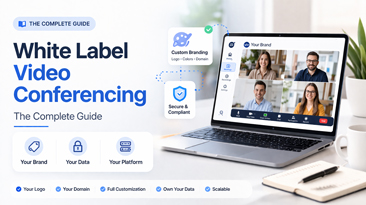
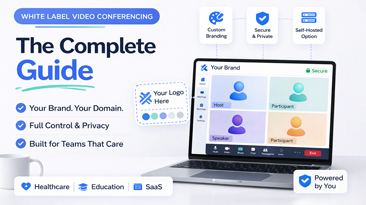
WhiteLabelZoom is not a traditional video interview point solution. It is a white-label video conferencing platform that HR teams can configure as a dedicated, branded interview environment. Candidates join at interviews.yourcompany.com, see your logo and colors throughout, and never encounter third-party branding.
What sets it apart for HR use cases is the combination of full branding control, API-first architecture for deep ATS integration, cloud recording with configurable retention, and flat-rate pricing that does not penalize you for adding recruiters. There are no per-seat interview licenses. You pay for infrastructure, not headcount.
The platform supports live interviews, waiting rooms, screen sharing, and breakout rooms for panel formats. Recording is built in with role-based access controls. The API enables custom workflows: auto-create interview rooms from your ATS, push recordings back to candidate profiles, trigger evaluation forms post-interview.
Strengths: Unmatched branding, no per-seat costs, API flexibility, data residency options, self-hosting available. Limitations: No native one-way video (requires API integration), no built-in scorecard UI (pairs with ATS evaluation tools).
2. HireVue
Best for: Enterprise organizations running AI-assisted, high-volume hiring programs.
HireVue pioneered video interviewing and remains the market leader in enterprise deployments. Its core strength is structured video interviewing at massive scale, with AI-powered assessments, game-based evaluations, and deep analytics. HireVue supports both live and one-way interviews and integrates with virtually every major ATS.
The platform's AI capabilities --- which now focus on natural language analysis after the company retired facial analysis in 2021 --- are polarizing. Some organizations find them valuable for screening consistency. Others avoid them due to candidate perception and regulatory scrutiny (Illinois AIPA, NYC Local Law 144, EU AI Act).
Strengths: Enterprise scale, one-way video at volume, AI assessments, broad ATS integrations. Limitations: Premium pricing (often $35,000+ annually), AI features face regulatory headwinds, limited branding customization, heavy platform that can feel impersonal to candidates.
3. Spark Hire
Best for: Mid-market HR teams that want a straightforward, affordable interview platform.
Spark Hire offers a clean, focused product for one-way and live video interviews. The interface is intuitive, setup is fast, and pricing is transparent. It integrates with over 50 ATS platforms and HR tools. One-way video is a particular strength --- the candidate experience is polished, and the evaluation workflow for reviewers is well-designed.
Strengths: Easy to use, strong one-way video, transparent pricing, good mid-market ATS integrations. Limitations: Limited branding options (your logo, but Spark Hire-branded experience), no custom domain, fewer enterprise-grade security controls, evaluation tools are basic compared to HireVue.
4. VidCruiter
Best for: HR teams that need structured interviewing with built-in compliance workflows.
VidCruiter combines video interviewing with automated reference checking and structured interview design tools. It is particularly strong for organizations that prioritize interview standardization and compliance documentation. The platform supports live, one-way, and pre-recorded interviews, with detailed audit trails.
Strengths: Structured interview framework, compliance-friendly audit trails, combined reference checking, flexible interview formats. Limitations: Interface feels dated compared to competitors, limited third-party integrations, pricing requires a sales conversation, smaller market presence means fewer peer reviews.
5. Zoom
Best for: Teams already embedded in the Zoom ecosystem that need basic live interview capability.
Zoom is not a video interview platform. It is a general-purpose video conferencing tool that many HR teams use for interviews because it is already available. For straightforward live interviews, it works fine --- the call quality is excellent, candidates are familiar with it, and it connects to calendars easily.
But it lacks every HR-specific feature on the requirements list above. There is no structured evaluation workflow, no one-way video, no native ATS integration for interview data, no branded candidate experience (every interview says "Zoom" everywhere), and recording management is designed for meetings, not hiring compliance. Scaling to 50 recruiters means 50 individual Zoom licenses, each generating recordings that live in separate accounts.
Strengths: Universal familiarity, reliable call quality, wide calendar integration. Limitations: No interview-specific features, no branding, no ATS integration, per-seat licensing adds up, recordings are not centralized for hiring workflows.
6. Microsoft Teams
Best for: Organizations locked into the Microsoft 365 ecosystem.
Microsoft Teams shares Zoom's fundamental limitation: it is a collaboration platform, not an interview tool. The advantage over Zoom is that many organizations already have Teams licenses through Microsoft 365, so the incremental cost for video calls is zero. Teams also integrates with Outlook calendars natively, which simplifies scheduling.
The disadvantages are similar. No structured interview features, no one-way video, no ATS integration, strong Microsoft branding throughout the candidate experience, and a joining experience that frequently confuses external candidates (download prompts, browser compatibility issues, guest access friction).
Strengths: Zero incremental cost for M365 organizations, native Outlook integration. Limitations: Poor external candidate experience, no interview features, Microsoft branding, complex guest joining flow, no centralized recording management for hiring.
7. myInterview
Best for: Small teams that want a simple, affordable one-way video tool.
myInterview focuses on one-way video interviewing with an emphasis on simplicity and personality-driven hiring. The platform uses AI to generate candidate shortlists and supports collaborative review. It is lightweight, affordable, and fast to deploy.
Strengths: Simple one-way video, affordable entry price, AI-assisted shortlisting, quick setup. Limitations: Limited live interview capabilities, narrow integration ecosystem, AI features are basic, minimal branding control, less suitable for enterprise-scale hiring.
Platform Comparison Table
| Feature | WhiteLabelZoom | HireVue | Spark Hire | VidCruiter | Zoom | MS Teams | myInterview |
|---|---|---|---|---|---|---|---|
| Live Video Interviews | Yes | Yes | Yes | Yes | Yes | Yes | Limited |
| One-Way Video | Via API | Yes | Yes | Yes | No | No | Yes |
| Custom Branding (Full) | Yes | Limited | Limited | Limited | No | No | No |
| Custom Domain | Yes | No | No | No | No | No | No |
| Cloud Recording | Yes | Yes | Yes | Yes | Yes | Yes | Yes |
| Built-in Scorecards | No | Yes | Yes | Yes | No | No | Yes |
| ATS Integrations | API | 50+ | 50+ | 30+ | Limited | Limited | 20+ |
| AI Assessments | No | Yes | No | No | No | No | Basic |
| Scheduling Automation | Via API | Yes | Yes | Yes | No | No | Yes |
| SOC 2 Compliant | Yes | Yes | Yes | Yes | Yes | Yes | In Progress |
| GDPR Compliant | Yes | Yes | Yes | Yes | Yes | Yes | Yes |
| Data Residency Options | Yes | Limited | No | Yes | No | Yes | No |
| Self-Hosting Option | Yes | No | No | No | No | No | No |
| Per-Seat Pricing | No | Yes | Yes | Yes | Yes | Yes | Yes |
| Candidate Mobile Experience | Yes | Yes | Yes | Yes | App Required | App Required | Yes |
| Interview-Specific Analytics | Via API | Yes | Yes | Yes | No | No | Basic |
Cost Analysis for 50 Recruiters
Pricing is where the differences between platforms become concrete. The following analysis models annual cost for a team of 50 active recruiters conducting an average of 200 interviews per month (a realistic mid-market hiring volume).
| Platform | Pricing Model | Estimated Annual Cost (50 Recruiters) | Notes |
|---|---|---|---|
| WhiteLabelZoom | Flat-rate / usage-based | $12,000 -- $24,000 | No per-seat fees; cost scales with infrastructure usage, not headcount |
| HireVue | Enterprise license | $35,000 -- $75,000 | Varies by modules (live, on-demand, AI); requires annual commitment |
| Spark Hire | Per-user tiers | $18,000 -- $30,000 | Growth and Enterprise tiers; per-user pricing above base seats |
| VidCruiter | Custom quote | $20,000 -- $40,000 | Pricing not public; estimate based on reported customer data |
| Zoom | Per-seat license | $12,000 -- $18,000 | 50 Business seats at $21.99/mo; no interview features included |
| Microsoft Teams | Included in M365 | $0 -- $21,600 | Free if M365 E3/E5 exists; otherwise $36/user/mo for Business Premium |
| myInterview | Per-user tiers | $6,000 -- $15,000 | Affordable but limited; enterprise features require upper tiers |
What the Numbers Reveal
Microsoft Teams appears cheapest --- but only if your organization already pays for Microsoft 365 E3 or E5 licensing. The hidden cost is the absence of interview-specific functionality. Recruiters spend more time on manual scheduling, recording management, candidate communication, and evaluation coordination. At 200 interviews per month, that operational overhead is significant.
Zoom is similarly deceptive. The per-seat cost is moderate, but you are paying for a meeting tool and getting none of the interview workflow features that reduce recruiter workload. The true cost includes recruiter time lost to manual processes.
WhiteLabelZoom offers the strongest cost curve at scale. Because pricing is infrastructure-based rather than per-seat, adding recruiters 51 through 100 does not double your bill. For organizations planning to grow their hiring team, this model delivers meaningful savings over 2-3 years. The added benefit of full branding means you are not paying separately for employer branding tools to compensate for a generic interview experience.
HireVue is the premium option and is justified for organizations that need AI assessments and process thousands of candidates monthly. For teams that do not need AI scoring, the price premium over alternatives is difficult to justify.
Candidate Experience Tips
The best video interview platform in the world cannot compensate for a poorly designed candidate experience. These practices apply regardless of which tool you choose.
1. Send Clear Technical Instructions Before the Interview
Do not assume candidates know how to use your platform. Send a brief email 24 hours in advance that covers: which browser works best, whether they need to download anything, how to test their camera and microphone, and who to contact if something goes wrong. Platforms that require app downloads (Zoom, Teams) need extra attention here.
2. Brand the Entire Journey
Candidates form impressions from the moment they receive an interview invitation. Use branded email templates, a branded waiting room, and a branded interview interface. If your interview link says zoom.us/j/123456789, the candidate's subconscious registers "this company uses someone else's tools." If it says interviews.yourcompany.com, they register professionalism and investment.
3. Keep One-Way Videos Under Three Minutes Total
If you use asynchronous one-way video, limit the total response time to three minutes or fewer (for example, three questions at one minute each). Candidates abandon lengthy one-way interviews at high rates. Respect their time and you will see completion rates above 80%.
4. Provide a Human Touchpoint
Automated scheduling and one-way video are efficient, but candidates value human connection. Ensure that at least one stage of your process involves a live conversation. Use the efficiency gains from automation to invest more time in the interactions that matter.
5. Close the Loop Quickly
Video interview platforms generate data fast. Use that speed to make decisions faster too. Candidates who complete a video interview and hear nothing for two weeks will accept offers elsewhere. Set internal SLAs: review recordings within 48 hours, advance or decline within 72 hours.
6. Test Accessibility
Ensure your video interview platform works with screen readers, supports captioning, and does not require specific hardware. Candidates with disabilities should not face additional barriers in your hiring process. This is both a legal requirement (ADA, EAA) and a reflection of your organization's values.
Frequently Asked Questions
What is a video interview platform?
A video interview platform is software designed specifically for conducting job interviews over video. Unlike general video conferencing tools like Zoom or Teams, a dedicated video interview platform includes features tailored to hiring: structured question sets, candidate evaluation scorecards, one-way asynchronous video, ATS integration, interview recording with role-based access, and branded candidate experiences. The distinction matters because hiring workflows have specific requirements --- compliance documentation, collaborative evaluation, candidate communication sequences --- that meeting tools were never designed to support.
Are video interviews as effective as in-person interviews?
Research consistently shows that structured video interviews predict job performance at rates comparable to structured in-person interviews. A 2024 meta-analysis published in the Journal of Applied Psychology found no statistically significant difference in predictive validity between video and in-person structured interviews. The key variable is structure --- whether the interview uses consistent questions, defined evaluation criteria, and trained interviewers --- not the medium. Unstructured interviews, whether video or in-person, are equally poor predictors.
How do I ensure fairness in video interviews?
Use structured interviews with standardized questions and scoring rubrics. Train interviewers on consistent evaluation. If using AI-assisted tools, audit them for bias regularly and comply with applicable laws (NYC Local Law 144, Illinois AIPA, EU AI Act). Record interviews so evaluation can be reviewed for consistency. Provide candidates with equal access --- offer alternatives for candidates who lack reliable internet or equipment.
Do candidates prefer video interviews?
Candidate preferences vary by role, seniority, and geography. Surveys consistently show that 60-70% of candidates prefer video for initial screening rounds due to convenience (no travel, flexible scheduling). Preference for in-person increases in later rounds, particularly for senior roles and roles with strong cultural-fit components. The best approach is a hybrid process: video for early screens, in-person (or immersive video) for final rounds.
What bandwidth do candidates need for a video interview?
Most platforms require 1.5-3 Mbps for a stable HD video call. Candidates on mobile data or limited connections may experience quality issues. Send minimum requirements in advance and recommend that candidates use a wired connection or strong Wi-Fi signal. Platforms that offer adaptive bitrate (including WhiteLabelZoom) automatically adjust quality to match available bandwidth, reducing dropped calls.
Can I legally record a video interview?
In most jurisdictions, yes, provided you obtain consent. One-party consent states in the US require only the employer's awareness. Two-party (all-party) consent states --- California, Illinois, and others --- require explicit candidate consent before recording begins. Internationally, GDPR requires a lawful basis (typically legitimate interest or consent) and transparent disclosure. Best practice: always inform candidates in writing before the interview that it will be recorded, explain the purpose, and provide an opt-out mechanism.
How do video interview platforms integrate with ATS systems?
Integration depth varies. Basic integrations push interview links into ATS candidate records. Mid-level integrations sync scheduling data, interview status, and recordings. Deep integrations allow interviewers to launch interviews from within the ATS, automatically attach recordings and evaluations to candidate profiles, and trigger workflow actions (advance, reject) based on interview outcomes. API-based platforms like WhiteLabelZoom support the deepest custom integrations, while platforms like HireVue and Spark Hire offer the broadest pre-built ATS connectors.
What is the difference between one-way and live video interviews?
In a live video interview, the candidate and interviewer(s) join a video call simultaneously and interact in real time. This is the direct equivalent of an in-person interview. In a one-way (asynchronous) video interview, the candidate receives a set of questions and records video responses on their own schedule, without an interviewer present. Hiring teams review the recordings later. One-way video is most effective for high-volume initial screening --- it allows a recruiter to review 30 candidate responses in the time it would take to conduct 5 live interviews.
Final Verdict
The right video interview platform depends on your organization's priorities. Here is the decision framework:
Choose WhiteLabelZoom if employer branding is a strategic priority, you need a custom domain and full visual control, your team is growing and per-seat pricing does not make sense, or you want API-level integration with a custom ATS or recruitment workflow. It is the strongest option for organizations that treat the interview experience as an extension of their brand.
Choose HireVue if you are an enterprise running thousands of interviews monthly, you want AI-assisted screening (and have navigated the regulatory landscape), and budget is secondary to scale and automation.
Choose Spark Hire if you are a mid-market team that wants a simple, effective platform with strong one-way video and reasonable pricing. It is the best balance of features and affordability for teams of 10-50 recruiters.
Choose VidCruiter if structured interviewing methodology and compliance documentation are your top priorities.
Avoid using Zoom or Microsoft Teams as your primary video interview platform unless you are conducting fewer than 20 interviews per month and have no plans to scale. They work for occasional calls, but they create operational drag at volume and undermine your employer brand with every interview.
Choose myInterview if you are a small team focused primarily on one-way video screening and need the lowest entry price.
The video interview platform market is mature enough in 2026 that no HR team should settle for a generic meeting tool. The platforms ranked above represent real options with meaningfully different strengths. Evaluate them against your specific requirements --- branding, scale, integrations, budget --- and invest in the one that makes your hiring process faster, fairer, and more professional.