HIPAA-Compliant Video Conferencing: What Healthcare Providers Need

The HIPAA Problem with Video Conferencing
Here's something that keeps healthcare IT directors up at night: most "HIPAA-compliant" video conferencing tools aren't actually compliant in the way you think they are.
They'll sign a Business Associate Agreement. They'll check a box that says "HIPAA." They'll point to their encryption. And technically, that might satisfy a surface-level audit. But when the Office for Civil Rights (OCR) comes knocking after a breach — and breaches are hitting record numbers — "Zoom signed a BAA" is not the defense you want.
The core tension is simple: HIPAA requires you to control Protected Health Information (PHI). Video conferencing tools require you to hand your data to a third party. Reconciling those two things is harder than most vendors want you to believe.
What HIPAA Actually Requires for Video
HIPAA doesn't name specific technologies. It sets standards, and you choose how to meet them. For video conferencing used in telehealth, the relevant requirements are:
The Security Rule (Technical Safeguards)
- Access Controls: Only authorized individuals can access the system. Unique user IDs, emergency access procedures, automatic logoff, encryption.
- Audit Controls: The system must record and examine activity. Who joined which call, when, from where.
- Integrity Controls: PHI cannot be improperly altered or destroyed. Recordings and transcripts must be tamper-evident.
- Transmission Security: PHI must be encrypted in transit. This means TLS for signaling and SRTP or DTLS for media streams.
The Privacy Rule
- Minimum Necessary: Only the minimum required PHI should be accessible during a video call. This affects features like recording, transcription, and chat logs.
- Patient Rights: Patients have the right to know how their data is being used. Your platform needs clear privacy notices.
Business Associate Agreements (BAAs)
Any vendor that handles PHI on your behalf must sign a BAA. This is non-negotiable. But here's the catch: a BAA doesn't make a product compliant. It makes the vendor liable if they breach. You're still responsible for ensuring your implementation meets HIPAA requirements.
A BAA with Zoom means Zoom accepts some liability. It doesn't mean your use of Zoom is compliant. If you're recording telehealth sessions to Zoom's cloud, sharing PHI in Zoom chat, or using AI transcription features that process data on Zoom's servers — you need to verify each of those data flows against HIPAA requirements.
Why Most Video Tools Fall Short
Cloud Recording = PHI on Someone Else's Servers
When you record a telehealth visit on Zoom, that recording lives on Zoom's cloud infrastructure. Yes, it's encrypted. Yes, Zoom has a BAA. But you've now created a copy of PHI that you don't directly control. You can't verify exactly where it's stored, who at Zoom has access, or how long backups persist after you delete it.
Under HIPAA, you're responsible for knowing where PHI lives. "Somewhere in Zoom's cloud" is a vague answer for an auditor.
AI Features Process PHI
Zoom's AI Companion, Google's Gemini features in Meet, and Microsoft's Copilot in Teams all process meeting content through AI models. For a regular business meeting, that's fine. For a telehealth session where a patient is describing symptoms, sharing test results, or discussing treatment plans — you've just sent PHI through an AI processing pipeline that you don't control and may not fully understand.
Some of these AI features can be disabled. But they're increasingly opt-out rather than opt-in, and one admin misconfiguration could expose PHI.
Multi-Tenant Architecture
Cloud video platforms are multi-tenant. Your data shares infrastructure with millions of other organizations. The logical separation between tenants is strong, but it's not the same as physical isolation. For organizations that need to meet stricter state-level healthcare data regulations or handle particularly sensitive specialties (mental health, substance abuse, reproductive health), multi-tenant cloud platforms may not satisfy your risk assessment.
Metadata Leaks
Even if video and audio are encrypted, metadata can reveal PHI. The fact that a specific patient connected to a specific provider's telehealth room at a specific time is itself protected information. Most cloud platforms log this metadata extensively and don't give you full control over those logs.
The Self-Hosted Advantage
Self-hosted video conferencing addresses most of these issues by changing the fundamental architecture: your data never leaves your infrastructure.
When you run a self-hosted platform:
- Recordings stay on your servers. You control storage, encryption at rest, retention policies, and deletion. You can tell an auditor exactly which server, which volume, which encryption key.
- No third-party data processing. Video streams route through your media server. AI transcription runs on your infrastructure (or a HIPAA-compliant AI provider you've vetted). Chat messages stay in your database.
- Audit logs are yours. Complete, unfiltered, stored where you choose. No waiting for a vendor to provide access logs.
- Single-tenant by default. Your infrastructure serves only your organization. No shared resources with other tenants.
- You control the update cycle. No surprise feature changes that might affect compliance. You test and deploy updates on your schedule.
This doesn't mean self-hosted is automatically HIPAA-compliant. You still need to configure it correctly, run it on compliant infrastructure (like AWS GovCloud or a BAA-covered cloud account), and maintain proper policies. But the compliance surface area shrinks dramatically when you own the entire stack.
HIPAA Video Conferencing Feature Checklist
Here's what your platform should have. Non-negotiable items are marked with an asterisk.
Security Features
- End-to-end encryption (E2EE) or full SRTP encryption *
- TLS 1.2+ for all signaling and API traffic *
- Waiting rooms / host admission controls *
- Meeting passwords or secure link generation *
- Role-based access control (host, participant, admin) *
- Automatic session timeout / logoff
- IP allowlisting for admin access
- SSO / SAML integration *
Audit and Compliance
- Comprehensive audit logs (join, leave, recording start/stop, screen share) *
- Log export / SIEM integration
- Data retention policy configuration *
- Secure recording storage with encryption at rest *
- BAA available from vendor * (if not fully self-hosted)
Patient Experience
- No account or download required for patients — browser-based join
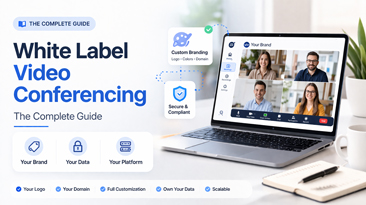
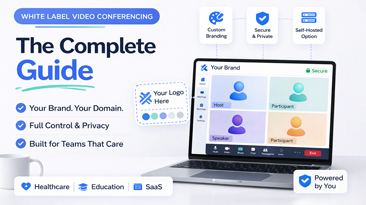
- Custom branded interface — patients see your clinic name, not a tech company
- Virtual waiting room with custom messaging
- Works on mobile browsers — many patients join from phones
- Accessibility features (captions, keyboard navigation)
Clinical Workflow
- EHR integration capability (API or iframe embedding)
- Appointment-based room generation
- Patient intake forms pre-visit
- Screen sharing for reviewing results
- Secure file sharing during visit
Embedding Telehealth in Your Existing Platform
Many healthcare organizations don't want a standalone video app. They want video embedded in their patient portal, EHR, or practice management system.
White label platforms are built for this. The video interface can be loaded in an iframe or integrated via API, so patients never leave your portal. The workflow looks like:
- Patient logs into your portal
- Clicks "Join Video Visit"
- Video opens within your portal (your branding, your domain)
- Session is recorded to your servers
- Transcript is generated and attached to the patient record
From the patient's perspective, they used your telehealth system. From a compliance perspective, PHI stayed within your controlled environment the entire time.
This is fundamentally different from "here's a Zoom link" — both in patient experience and in compliance posture.
What About the COVID-Era HIPAA Waivers?
During COVID, the HHS Office for Civil Rights issued enforcement discretion for telehealth. Providers could use non-compliant platforms (FaceTime, Skype, consumer Zoom) without penalty. That was an emergency measure, and those waivers have expired.
As of 2025, OCR is back to full enforcement. Providers using non-compliant video tools for telehealth are at risk. The grace period is over.
If your organization is still running telehealth on a platform chosen during the COVID scramble, it's time to re-evaluate.
Cost Considerations
HIPAA-specific video solutions tend to be expensive. Zoom for Healthcare, Doxy.me premium, and similar platforms charge per-provider fees that add up fast.
- Zoom for Healthcare: ~$200-300/provider/month (includes BAA, compliance features)
- Doxy.me Professional: $35/provider/month (limited features)
- Dedicated telehealth platforms: $500-2,000/month depending on scale
For a practice with 15 providers, that's $3,000-$4,500/month on Zoom for Healthcare alone — $36,000-$54,000/year.
A self-hosted white label alternative like WhiteLabelZoom costs $4,997-$9,997 one time, plus hosting. Even with $200/month for HIPAA-compliant hosting on AWS, your five-year cost is under $22,000 — compared to $180,000-$270,000 for Zoom for Healthcare.
That's not a marginal savings. It's a category shift.
Making the Transition
Moving from a cloud-hosted platform to a self-hosted one isn't trivial, but it's not the year-long project some vendors want you to think it is either.
A realistic timeline:
- Week 1: Platform deployment and configuration
- Week 2: Branding, EHR integration setup, and testing
- Week 3: Staff training and pilot with select providers
- Week 4: Gradual rollout to all providers
The key is running both systems in parallel during the transition. Don't cut over all at once. Let providers and patients adjust.
Conclusion
HIPAA compliance for video conferencing isn't about checking a box or getting a vendor to sign a BAA. It's about controlling where PHI lives, how it's processed, and who can access it.
Self-hosted platforms give you that control. Cloud platforms ask you to trust that they're handling it properly. Both approaches can work, but the compliance burden is dramatically different.
If you're evaluating options, start with the checklist above. Ask vendors hard questions about data residency, AI processing, and audit logging. And run the five-year cost comparison — the financial case for ownership often makes the compliance discussion moot.
Your patients trust you with their health. They should be able to trust your technology too.